Unreal Mesh Optimization Tool
A short demo of an Unreal plugin tool developed to help artists optimize static meshes directly inside Unreal Engine without extra manual export, reduction, import, material reassignment, or level placement steps.
- Artist-facing Unreal plugin workflow for static mesh optimization
- Reduces repetitive manual round-tripping between Unreal and third-party tools
- Preserves practical pipeline needs such as material reuse and scene placement
Tool Demo
A walkthrough of the mesh optimization tool workflow inside Unreal Engine.
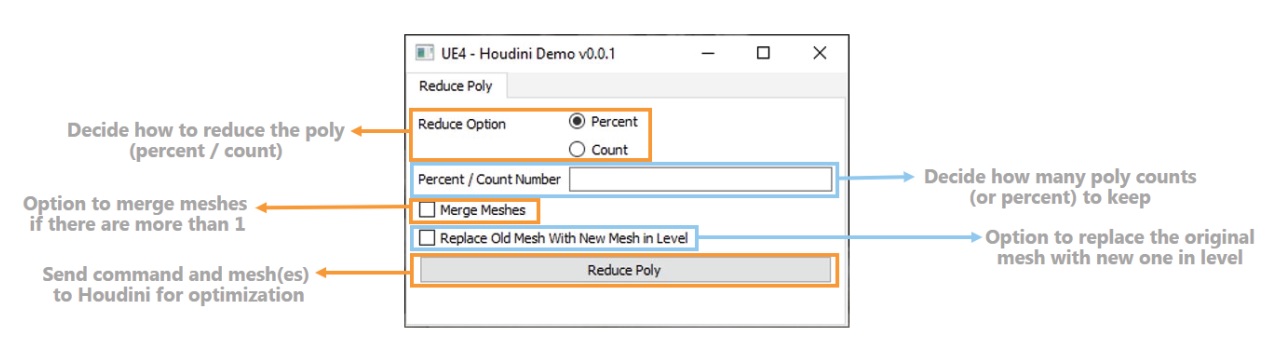
UI Description
The tool interface is designed to expose the key optimization controls while keeping the workflow simple for artists.
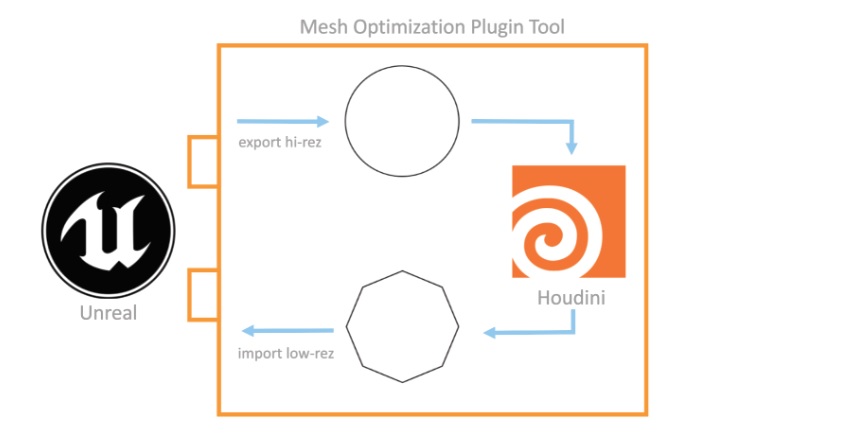
Plugin Workflow
The workflow removes repeated manual steps by keeping mesh reduction and replacement inside the Unreal environment.
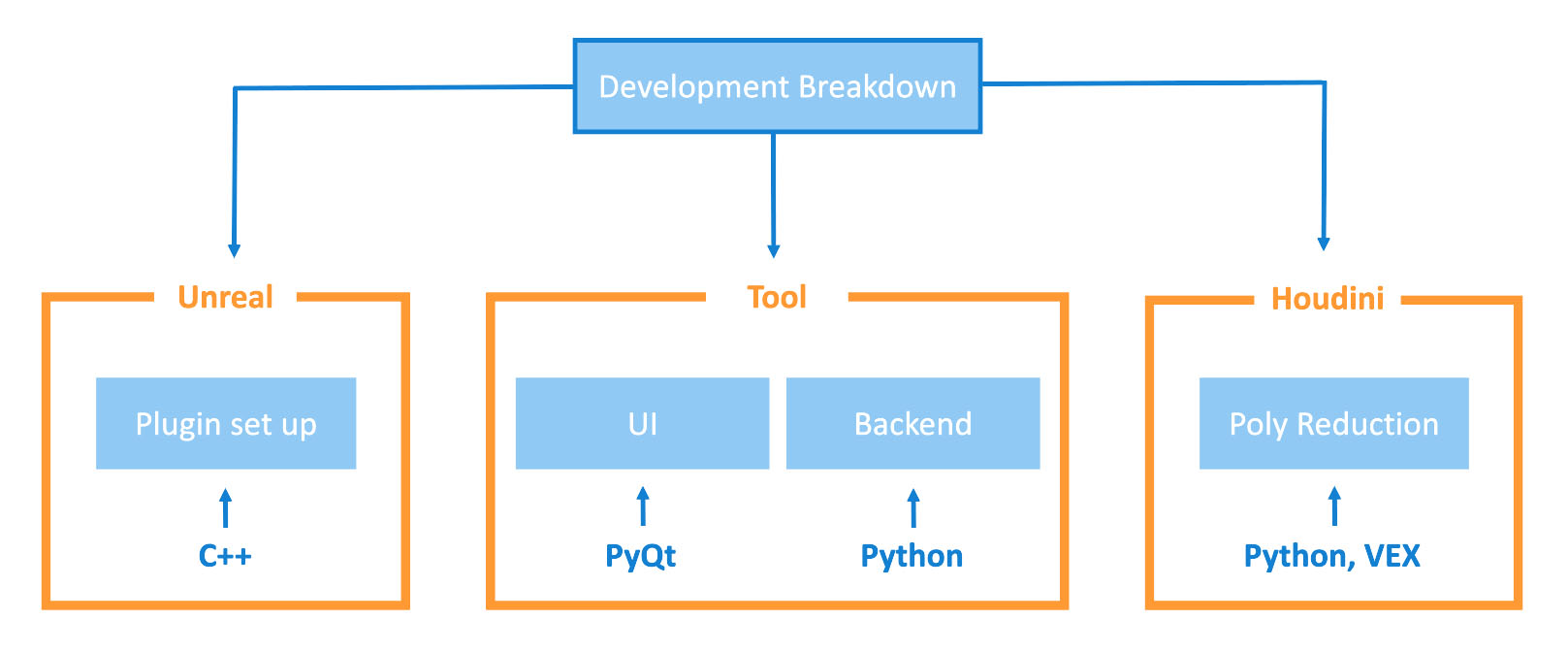
Development Breakdown
A breakdown of the core development structure behind the plugin workflow.
Workflow Benefits
Less manual round-tripping
Artists can avoid exporting meshes out of Unreal, reducing poly counts in external tools, then importing and reconnecting results manually.
Faster iteration
The optimization process stays closer to the level context, making it easier to test results against the scene and performance needs.
Material and placement continuity
The workflow is organized around preserving practical production details such as materials and level placement.
Artist-friendly controls
The tool packages the optimization process into a focused UI so artists can work with a small number of clear inputs.